
Reference

kirikya App — Your Account in Your Pocket

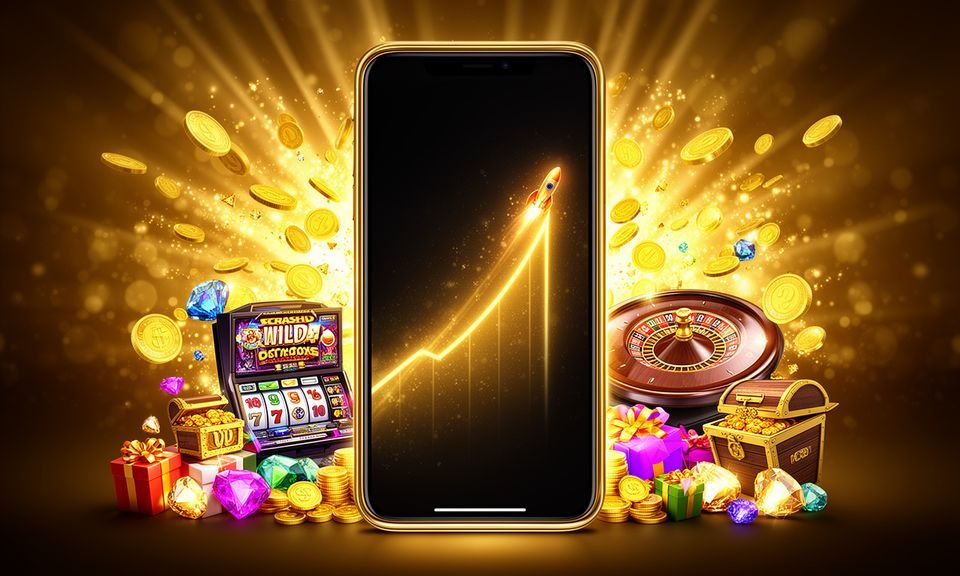
kirikya is built for mobile-first access across Bangladesh — open the site from your browser, sign in, and your full account wallet, betslip and lobby are right there.

mobile browser accessaccount wallet on the goavailability check supportedcricket and live tablesBangladesh-compatible layout
kirikya kirikya App — Your Account in Your Pocket
kirikya Features You Get With Mobile Access on kirikya

Features You Get With Mobile Access on kirikya

When you access kirikya on mobile, the lobby adjusts to your screen immediately — no pinching, no sideways scrolling. Your betslip stays pinned while you browse cricket markets or switch to a live Evolution table like Dragon Tiger. Push notifications alert you when match odds shift or your withdrawal is processed. Quick deposit puts bKash, Nagad and Rocket a single tap away

from the deposit screen. Fingerprint login cuts the sign-in step down to a second on supported Android devices. The interface carries the same dark-mode layout as desktop, so switching between devices feels natural rather than disjointed.

DEVICE AND BROWSER CHECK

What Works and How to Confirm It

Browser-based access covers most current phones without any extra configuration. Here is what to verify on your side before your first session.

kirikya Browser version

Browser version

Chrome 110 or above and Safari 15 or above handle live streaming from Evolution tables and crash game mechanics in Crash Skyrise without frame drops on a standard 4G connection.

kirikya Screen layout

Screen layout

The kirikya mobile layout is optimised for portrait mode. Landscape still works for live tables, but the betslip and navigation bar are positioned for upright use by default.

kirikya Account requirements

Account requirements

You need a verified kirikya account to access the full lobby on mobile. Account verification follows the same steps as desktop — email or phone confirmation plus wallet linkage.

kirikya Mobile Access in 3 Steps

Mobile Access in 3 Steps

Getting into kirikya on your phone takes under a minute. No app store needed right now — browser access works smoothly across current Android and iOS devices. If a dedicated app build becomes available for your region, we will show the download option directly on this page. Until then, the browser path gives you everything: full lobby, live tables, sportsbook and your

account wallet in one place. Players in Dhaka report the lobby loads cleanly on mid-range Android phones over a standard mobile data connection. Start here, check the steps below, and your account is ready before the next match kicks off.

  • Open the current site — Type kirikya into your mobile browser address bar or tap a saved bookmark. Chrome on Android and Safari on iOS both render the full lobby without extra settings.
  • Check browser compatibility — Make sure your browser is up to date. An outdated browser version can affect how live tables stream or how the betslip responds. Update via your device's app store if needed.
  • Sign in securely — Enter your credentials or use fingerprint login if your device supports it. Once inside, your account wallet, bKash deposit option and full game lobby are immediately accessible.
  • Verify app availability — Scroll to the app section of this page or check the account settings screen to see if a native kirikya app build is currently offered for your specific device and region.

Four Things Mobile Access Changes For You

Mobile access on kirikya is not just a smaller version of the desktop lobby — it brings specific conveniences that make your session faster and your account easier to manage on the move.

Biometric Login

Fingerprint authentication on supported Android devices removes the password step entirely. Tap once and your account opens straight to the lobby or your active betslip.

Dark Mode Layout

The kirikya mobile interface loads in dark mode by default, reducing eye strain during evening sessions and keeping the cricket odds and live table layouts readable in low light.

Push Notifications

Enable push alerts to get notified when BPL match odds update, when your Nagad or Rocket withdrawal is confirmed, or when a new promotion is active on your account.

Offline Lobby Preview

The lobby structure caches lightly so you can browse game categories and check Cricket JetSpeed or Football Goalrush availability even before your connection fully loads.

kirikya App — Common Questions

Below are the questions we hear most often about mobile access and app availability on kirikya. If your question is not covered here, reach out to support directly from your account.

A native app listing depends on current platform policies and regional availability. Check this page or your account settings for the latest status — we update it when a build is available.

Yes. The kirikya site runs fully through Chrome, Firefox or Safari on mobile. Your account, betslip, live tables and wallet access all work through the browser without any separate install.

Biometric login is supported on Android devices that have fingerprint authentication enabled. Once activated in your account security settings, it replaces the password step at sign-in.

Push notifications are available when you access kirikya through a compatible browser that supports web push. Enable them in your browser settings and confirm under account notification preferences.

Open the deposit screen from your account wallet, select bKash or Nagad, enter the amount, then complete the transfer in your bKash or Nagad app using the account number shown.

First update your browser to the current version. If the issue continues, clear the browser cache and reload. Contact kirikya support with your device model for further compatibility help.
Reference

kirikya App

Service availability depends on eligible regions and local law. Users should check local rules before opening an account.

Access may be available only where local law permits.